Showing posts with label Windows 8. Show all posts

Friday, August 07, 2015

Creating an Xbox One style loading indicator


If you've started an XBox One you'll have seen the loading screen where the three white circles pulsate below the logo while the console starts up.

Watching this the other day I thought I'd have a go at recreating such an animation. (I've been looking at a lot of loading indicators recently and thinking about different ways of displaying a waiting state.)

After fiddling around in Blend for a bit (I decided to just do it all in Blend for a change) I came up with this: https://github.com/mrlacey/XboxStyleLoadingIndicator

It's a (Windows 8 style) Universal project but the UserControl in the Shared project will also work with Windows 10 (and probably WPF & Silverlight too).

It's quite simple.
It has `Foreground` and `Background` Brush properties, that are set to White and Green by default.
It has an `IsEnabled` property that you can bind to if you're so inclined.
It has `Start()`and `Stop()` methods, and if you can't work out what they do then you're probably in the wrong place.

Here's the interesting bit:
I don't like it when animations stop abruptly part way through or when loading indicators flash up on the screen for only a split second. Some people use a timer for preventing very brief display (e.g. the indicator must be shown for at least N seconds before being hidden) but that doesn't prevent it disappearing part way through the animation. To address this I made the control so that it will always complete the animation it is doing before stopping. This means that calling `Stop()` or setting `IsEnabled` to false won't immediately make the animation go away. If that's what you want then change `Visibility` or hide or remove it in some other way. ;)


There are a couple of known issues:
- You have to specify a background colour that matches the background of whatever it is displayed on top of. This means it might look odd if not on a solid colour background.
- It doesn't scale well. But you could easily modify the code in the UserControl if you wanted something bigger.

Both of these issues could be addressed by switching to using a Path, rather than the Ellipses I'm using at the moment. It might be something I get round to eventually, But if you'd really like to see it sooner then let me know.


Thoughts? Interest? Feedback?


Wednesday, February 11, 2015

Create better ads for your apps

As an app developer you're probably not an expert in advertising (I'm not either), but over the last couple of weeks I've been running such an experiment with the creators of  a few apps in store to help us all, hopefully, learn a few things about what makes a good app advert.

Let me start by introducing the apps:
Digi Clock Plus Digi Clock Plus
Digi Clock Plus is all you need whilst at home or travelling to transform your phone into a functional digital alarm clock with fun added extras.
This is one of the most comprehensive clocks in the marketplace and delivers some of the top requested features - photo frame, weather, personalised alarm music and speech.

Grid Ref UTM Grid Ref UTM
Pinpoint your current map reference location anywhere in the world, using the Universal Transverse Mercator geographic coordinate system. (UTM)
App Provides: UTM Grid Ref, Hemisphere, and WGS84 Latitude and Longitude values.
The Accuracy of Readings, as indicated by your device, will also be shown.
Grid Ref UTM - Your Grid Refrence App!

MetroSpec MetroSpec
MetroSpec is a fully featured 16K/48K Sinclair ZX Spectrum emulator for Windows Phone.
Relive the 80's & early 90's by playing the classics, on the 8-bit micro that, kick started the home computer boom.
The ZX Spectrum was an 8-bit computer released in 1982, as the successor to the ZX81. Based around a Zilog Z80 CPU, 48Kb of RAM, 16Kb ROM, beeper sound, rubber keyboard, and tape loading, the ZX Spectrum was a true classic, and now you can relive the experience, bring back your old memories, or beat that final boss you found so hard before.

Night Chopper Night Chopper
Silly and weird little chopping game! Tap tap tap, and chop down that tree under the moonlight to nice piano sounds. The viewpoint is bottom-up, and you have 4 positions to chop from. Avoid those sharp branches!

Yaht 3D Yaht 3D
If you like Yahtzee then this game is for you!
Yaht 3D is based on the dice game called 'Yacht' which is the predecessor to Yahtzee.
Play this simple and fun game against your friends in hotseat mode or try to beat the phone.
Yaht 3D takes advantage of the performance of the Windows Phone to bring you accurately simulated dice rolls. See the 3D dice leap out of your phone, spinning, colliding and tumbling under the forces of gravity.

Each of the above apps are currently available in store and are part of the AdDuplex cross promotion network.

For the experiment we ran two versions of an advert for each app for a week to see how different wording would impact how successful the ad was in persuading people to click on it.

To keep things simple all ads were text ads.
If you're not familiar with how these work: "Text ads are automatically animated to show blocks of 2 lines at a time. Line 1 and 2 are displayed together on one panel of the ad and lines 3 and 4 on the second panel."

Here are the ads we used:

Digi Clock Plus
Option 1     Option 2
Digi Clock Plus
all you need whilst at home or travelling
transform your phone into a functional digital
alarm clock with fun added extras
   
Digi Clock Plus
Free app
transform your phone into a functional digital
alarm clock with fun added extras

Option 2 produced a CTP that was 13% higher.
The only difference between the two ads is the second line. Highlighting that the ad was for a free meant more people clicked on the app.


Grid Ref UTM
Option 1     Option 2
Grid Ref UTM gives you UTM Coordinates, Zone,
and Hemisphere information, on your Windows Phone
Know where you are with UTM / MGRS information
simply presented, on your Windows Phone handset
   
Never get lost again, thanks to your phone
lookup your current UTM location, zone..
..hemisphere, and latitude/longitude coordinates,
simply presented, on your Windows Phone handset.

Option 2 produced a CTP that was 6% higher.
There's not a lot in it but the more successful option is shorter and starts with a clear description of the value the app provides. "Never get lost again" is easier to understand than "gives you UTM Coordinates......" and makes it clearer what the app can do for the potential user.


MetroSpec
Option 1     Option 2
Love Retro gaming? Love 8-bit?
Relive the 80’s
MetroSpec
Sinclair ZX Spectrum Emulator
   
Remember the good old days?
Manic Miner, Sabrewulf, Highway Encounter
Play them again, and more, with MetroSpec
Sinclair ZX Spectrum Emulator

Option 1 produced a CTP that was 2% higher.
It's hard to draw a conclusion from this as while the two ads are different they were both equally effective. They didn't just produce the same level of results they were amongst the highest of all the ads listed here.


Night Chopper
Option 1     Option 2
Night Chopper
tap tap and chop down that tree!
Night Chopper
avoid those sharp branches!
   
Night Chopper - FREE and downloaded by 250.000!
Relaxing game with beautiful piano songs
Nigh Chopper - Rated 4.5 stars by 2.000!
Listen to anime, TV/movie themes++ while playing

Option 1 produced a CTP that was 15% higher.
This result actually surprised me. In adverts, at least, showing how many downloads the app has had, or the ratings it's been given didn't lead to more clicks.
The more successful advert was simpler and, I think, intriguing.


Yaht 3D
Option 1     Option 2
Yaht 3D
Like Yahtzee? Try this 3D dice game.
Yaht 3D brings ultra realistic dice physics
Download full game for FREE!
   
Yaht 3D
"A fascinating and beautiful game" - 5 stars
Tap here to download
"I am hooked. This game is so much fun :-)" - 5 stars

Option 1 produced a CTP that was 8% higher.
As with Night Chopper, highlighting the star ratings that other people have given it didn't lead to better results.
Also, as with Digi Clock Plus, highlighting that the app is free was a successful strategy.


Summary
So, to recap, what have we learnt from all this?
I think we can draw the following recommendations:

  • If you're advertising a free app make sure that you highlight this in the ad.
  • Having less text in an ad is better than having more text.
  • Have a clear value proposition. - Make it clear what will people get from your app.
  • Don't bother focusing on how good other people thought the app was by listing your reviews and number of downloads. Tell people what's in it for them.


Hopefully these tips will help you improve the copy in the ads for your apps.
I'd encourage you to test whatever text you use in your ads though.

If you're in the UK, already have an app in the AdDuplex cross promotion network and are interested in me running some ads for your apps on your behalf please get in touch. The only deal is that you agree to me sharing the results of the test like above.
What have you got to lose?


Monday, January 19, 2015

Windows (Phone) app analytics

I was recently asked what the "best" analytics solution out there is for universal apps.

Unfortunately I haven't reviewed what options are available recently. In the work I do for other people they already have made the decision about what analytics solution they want to incorporate.
There are lots options available and what you'll want to use will depend on the actual analytics you want to gather and what you want to do with them.

Here, in no particular order, are the 3rd party app providers I'm aware of:


There are a couple of other options too:

If you're using an ad solution that guarantees 100% fill rate then the number of ads served can be a good indication of the number of people using the app. It's the most basic level of analytics there is, but it comes for free. ;)

The last option (and the one I'm integrating into what I'm building in my rare moments of free time) is to integrate the analytics into the back-end of the application. Doing this is more work but has a few advantages:

  • No extra requests need to be made by the app
  • No managing a 3rd party component and service
  • Able to get exactly (and only) the information wanted 
  • Much easier to integrate with CRM systems
  • No need to reconcile data from a 3rd party with own data


Thursday, January 15, 2015

The secret of mobile app/game success

When it comes to mobile developers and achieving success many don't do anything and are surprised when they don't become overnight millionaires.
They also often don't have a good answer when asked what they've done to try and achieve the success they're after.


Here's the secret to success:

Test. Iterate. Optimise.

Experiment, change things, improve.

It sounds simplistic but it takes time and discipline.
If it was easy, everyone would do it.

Wednesday, January 14, 2015

WinApps London (& WPUG) 2014 in review

I'm not great at keeping stats about the user group I organise but I just had an email from Eventbrite with some summary stats and after a quick check on them I thought they would be good to share.


In 2014 we had 12 meetings with an average attendance of almost 60 people.
Even more encouraging is that there was a general trend towards an increase in numbers at each meeting.
As it feels that, generally, there's been less interest in building apps for Windows and Windows Phone in the last few months, that we've been growing in numbers during this period is something that I'm very encouraged about.

If you want to know more about our past meetings you'll find them at http://windowsapps.london/meetings/. You'll also see details of what's coming in the next few months on meetup.com.


Monday, December 22, 2014

"House Ads" vs AdDuplex

Microsoft has recently released what it calls "house ads" these are a way to promote one of your apps from within another.
This might sound very similar to what's possible with AdDuplex* so let's look at the similarities and differences between the two.

House Ads are a way of having PubCenter show ads for your other apps if it doesn't have any paid ads to show.
AdDuplex is a cross promotion network that allows you to show ads for other apps and in exchange they show ads for yours.

So, you see, there's similarity in that they both allow you to show ads for your apps.

Let's look into the similarities and differences in a bit more detail though.


Similarities
  • Both are free for developers to use and integrate
  • Both support integration with Ad Mediator and AdRotator
  • Both work well as a fall-back for when no paid ads to display
  • Either could be used on their own to just show non-paid ads
  • Both must have a network connection to be able to serve ads.


Differences
  • House Ads only works with PubCenter - some people don't like this
  • House Ads is a Microsoft product - some people take comfort in this (knowing it's from a big company). AdDuplex is independent and grew out of the community.
  • House Ads Provides a mediation capability without having to use a mediation/rotation tool.
  • House Ads are capped (at 5) per user per day so users won’t experience "ad fatigue" from seeing the same ad repeatedly - AdDuplex doesn't need this as it has a wide variety (1000's) of apps to show ads for
  • House Ads can only be used by accounts that have multiple published apps. AdDuplex can be used even if you only have one app in store/
  • House Ads are only available in limited markets (http://advertising.microsoft.com/en/blogpost/129472/microsoft-advertising-blog/announcing-new-capabilities-for-developers-to-promote-their-windows-and-windows-phone-apps) - AdDuplex can be used anywhere.
  • House Ads may be prioritized over paid ads from other ad providers - AdDuplex gives you greater control over this (via Ad Mediator or AdRotator)


So, which should you use?
Simple. Use whatever is best for you, your circumstances and your apps.

My personal opinion:
If House Ads are available to you, then, if you’re already using PubCenter as part of your monetization solution with an existing successful apps and you’re about to launch something new that will appeal to the users of your existing app then House Ads are a good tool to use while your new app is still gaining traction.
For all other scenarios and as a final fall-back in addition to using House Ads in the above scenario, you should always include AdDuplex as part of a multiple ad provider strategy.


* Disclaimer: I'm an advocate forAdDuplex which means that I'm paid (a small amount) to talk about them - but all opinions are my own. Don't be fooled though. I believed and talked about them in a positive way before I became an advocate. That's one of the reasons I became one. If you question my objectivity I'd love to hear why.


Wednesday, December 17, 2014

Pricing apps in the Windows App stores

Earlier today I tweeted this:

Are you selling you mobile app in Russia? Have you upped the price to reflect the falling value of the Ruble? #wpdev #windev
— Matt Lacey (@mrlacey) December 17, 2014

It prompted some discussion on how the store adjusts prices between different currencies and how often these are adjusted to reflect changes in exchange rates.

Some discussion of this has already started on twitter (feel free to carry it on there or in the comments) but I wanted to share a bit more than I can fit in 140 chars.

Let's look at how the Windows Store translates prices at the moment.

The lowest price tier is 0.79 USD or 0.99 GBP which the store translates as 34.00 RUB

However, right now, Google says that 1 USD is worth 64.59 RUB

That means that the 34 RUB you get for a sale in Russia is really worth 0.53 USD

This may mean that you're getting much less for sales of your app in Russia than you are expecting.

If you've set your price based on the cost per user this may seriously matter to you. Getting new user (in Russia) could end up losing you money!

On the plus side, this means that your app just got cheaper for people in Russia. Maybe you're considering this an early Christmas present for them ;)


The solution: increase the price in Russia.*

The take away (for everybody even if you;'re not selling a lot in Russia) : If you're business is based on selling in multiple countries then you need to keep an eye out for large, rapid changes in exchange rates.


* If you want to adjust the price in an individual country see http://msdn.microsoft.com/en-us/library/windows/apps/hh694062.aspx


Monday, December 15, 2014

Why using just one ad provider is being foolish

So, you've built an app and now want to make money from it. That seems a reasonable desire.
For whatever reason (hopefully strategic, but often for simplicity) you decide to put ads in the app as a way for making money.

All that's good but here's a common mistake developers often make. They only use a single ad provider.

Here's why that's a mistake.
No ad provider will have ads for you to show all the time. No traditional advertiser will always have an advert for you to show every time you request one. This is known as the fill rate. It's typically shown as a percentage and is the number of ads delivered divided by the number of adverts requested.

There are variations by country, user and type of app, but for most mobile advert providers, to get a fill rate of 40% from a global app is very good. It's often common to see rates as low as 10%.
That means that for every 10 times you want to show an advert (and be paid for doing so) you can only show (and be paid for showing) between 1 and 4 adverts.

There's a simple solution to this though. When one ad provider doesn't have an ad to show, "fall back" to use another ad provider and ask them for an ad. And so on and so on.

Fortunately there are tools that can help you do this. The two main ones in the Windows world are AdRotator and Ad Mediator.
Both will let you specify a list of ad providers to use and the order in which they should be contacted.

Here's how Ad Mediator visualize the process:


This is all well and good, but what about when none of the ad providers you're using have an ad to show?
There are no traditional ad providers who always have an ad for you to show (100% fill rate) and even when you integrate all the advertising providers there are there will still be times when none of them have an ad for you to display.

This is where AdDuplex comes in. AdDuplex* are different from traditional app ad providers in two key ways that are relevant to this conversation.
Firstly, they do have a 100% fill rate. They will always have an ad for you to show. (Subject to network connectivity - but then if the app can't connect to the web then all bets are off.)
Secondly, they don't pay you for showing ads. When we're discussing making money from showing ads this might seem like a big issue though. But consider the scenario: None of the ad providers you use have an ad to show, so, rather than letting the space in your app where you would show adverts go to waste you can use it for something else. You can use it to promote your app. This is where AdDuplex is different. It is not a traditional advertising platform, rather it's a cross promotion network. You display ads for other people's apps in your app and they show your ads in theirs. It works on a simple exchange basis. For every 10 ads you show, 8 are shown for your app(s) and the other 2 slots are sold to fund the service.

This is the key then. If you've got space in your app that you have dedicated to displaying ads with the aim of making money then if there are no paid for ads to display, use that space to promote the app itself. This will help you grow the number users of your app and, in turn, the number of paid for ads you can potentially display in the future.


If you're not yet using AdDuplex but wish to start, then register using promo code:
ML10-1OFKNH and you'll get an exchange rate of 90% (compared to the usual 80% for the first 6 months)

If you are putting ads in your app you should be using a mediation or rotation service that includes use of AdDuplex.


* Disclaimer: I'm an advocate for AdDuplex which means that I'm paid to talk about them. Don't be fooled though. I believed and talked about them this way before I became an advocate. That's one of the reasons I became one.


Tuesday, December 02, 2014

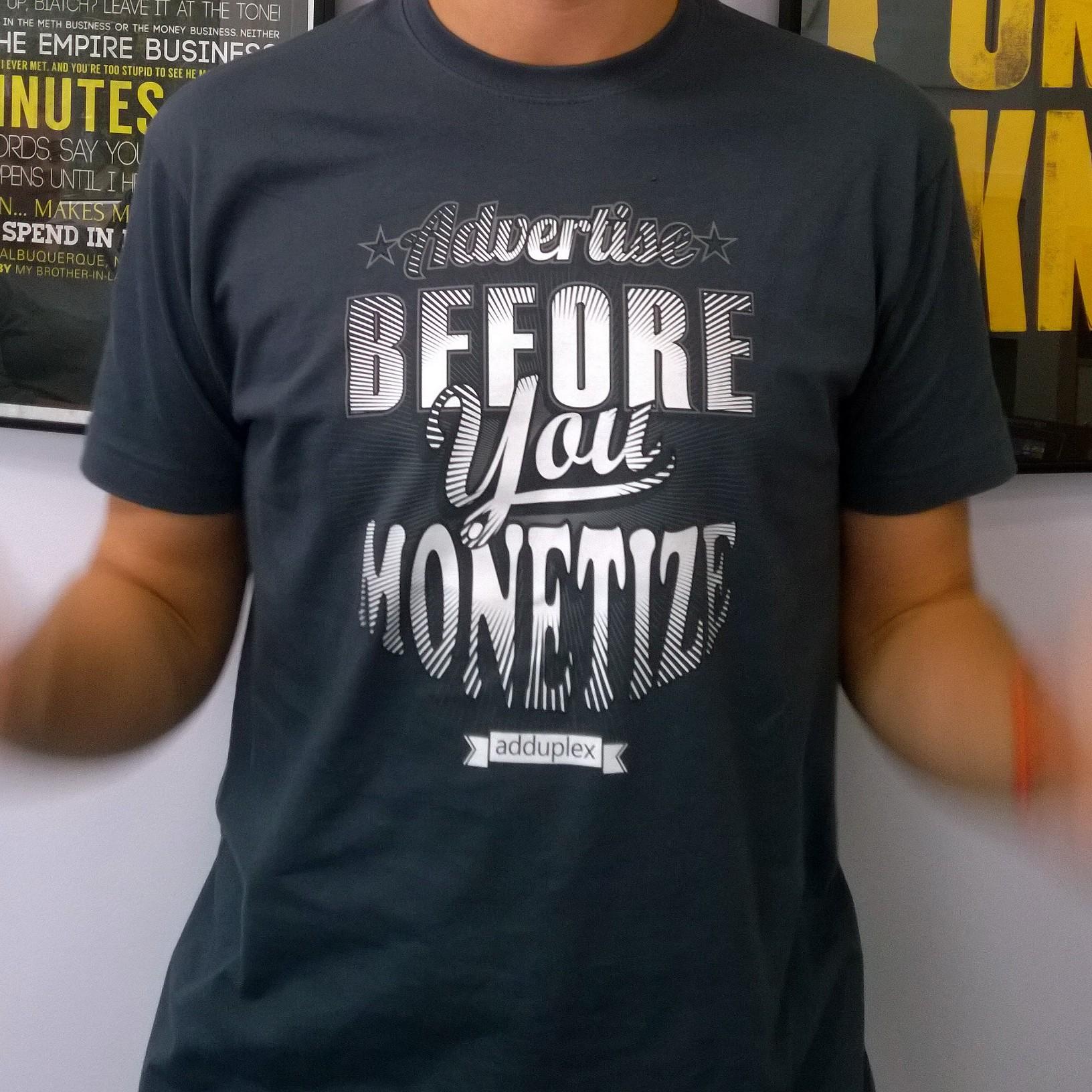
What does it mean to "Advertise before you monetize"?

If you weren't aware, one of the slogans for AdDuplex is to "advertise before you monetize". But what does this mean?


If you've built an app with a view to making money from it, there are two basic options for you.

(There are other options but I'm just looking at the simplest ones here as these are what most developers use.)

Firstly you can charge people directly for using the app. They either pay once, up front, for it (possibly after a trial period) or on a recurring basis. Either as some form of subscription or through the repeated purchase of in app/game consumables or access to more functionality (or levels).

Alternatively, you can indirectly monetize the app based on selling access to the people who use it. This may sound like a strange description or one you've not heard before but that's what you're doing when you put adverts in your app that you are paid for on a CPM basis. From a user/consumer perspective you should be aware that if you're not paying for something you're probably the product.
It can be summed up this way: If people aren't paying to use the app you force them to look at something (an advert) that someone else has paid (or will pay) to show to them.

It's if you're considering using the second approach that the idea of advertising before you monetize is relevant.


If you're income is based on advertising then it's the number of people using the app, and therefore looking at the ads that matters to you.

A common thought process is that having spent time building an app it would be nice to see some return as soon as possible.
There's a problem with this approach though:
You're trying to monetize a small number of users but for advertising to provide a good return you need a large number of users.

This is where the intent behind the AdDuplex slogan comes in.

Rather than using the advertising space in your app to show adverts that you are paid for, use it to help you promote your app and get more users.

This is a great way of integrating the AdDuplex control within your app. You put the control in your app and rather than be paid for showing ads, you exchange the ads you display with adverts for your app being displayed in other apps.

In time, once you have a large number of users for your app you can start to introduce paid adverts as well. Using AdRotator or AdMediator you can have a smart solution for combining paid ads when the provider has one to show, and AdDuplex ads for when the ad provider doesn't have an app to display. This combines the opportunity to make money from adverts and promote the app and get new users so you can make more money in the future.

If you're not already using AdDuplex and would like to start. Email me (adduplex [at] mrlacey.co.uk) and I'll send you a promo code, to use when registering) so you can have even more of your ads shown.

Thursday, November 13, 2014

How to add a Twitter feed to your App Studio app

I've recently released an app for the UK based charity Toilet Twinning. I wholeheartedly encourage you to support the work they do and twin your toilet now. This post is based on lessons from building that app.

The app started life in App Studio but I wanted to add the ability to show tweets from a specific account in the app. I was surprised that this functionality wasn't built in. I was further surprised that there wasn't good documentation anywhere to help add it.
This post is an attempt to address this and show how to add a twitter feed to an app studio app,

Screenshot of the "Toilet Twinning" app showing items from the twitter feed

If you've looked into trying to do this before you may have discovered that there is a video recorded as Build that shows a way of doing this. You'll find it at http://channel9.msdn.com/Events/Build/2014/2-565 The downside of this is that it is more complicated than I needed and only a small amount of the code is available (at
http://blogs.msdn.com/b/rido/archive/2014/04/25/app-studio-build-session.aspx).


The following uses no third party libraries and is done entirely in Visual Studio. It allows adding a list of tweets by a named user to be displayed in the app without requiring a user to log in. If you wanted it to display a search term, such as a hashtag, then minor modifications would be needed but they aren't documented here.

The twitter API requires that all requests are from an authenticated source. While you may typically have a user authenticate, in this case the app is the what is authenticated, using Application-only authentication. This provides access to limited API methods but is sufficient for our needs. If you wish to know more see https://dev.twitter.com/oauth/application-only

To integrate with Twitter you first need to create an app entry on the Twitter website.

  • Go to https://apps.twitter.com/
  • then click "Create New App"
  • You can add any website value if you don't a suitable URL right now. Just remember to come back and replace it with the Store link later.
  • You don't need to enter a callback URL.
  • After accepting the terms and creating the app entry, go to the "Keys and Access Tokens" tab.

This is where you'll get the values for the "Consumer Key" and "Consumer Secret". You'll need to add these to TwitterDataSource.cs later.
Leave the permissions as "Read-only".

Please note that the values in this image are no longer valid for anything. Don't waste your time trying to check for security holes. They are for an app entry that no longer exists and won't work. ;)


We now need to modify and add some files to the solution. You'll find all the changes at https://gist.github.com/mrlacey/1cd1f7a0049c69eb774f but we'll also step through all the individual changes.


To add the details to both the Windows and Windows Phone project we need to add or modify 10 files:

1. Firstly we need a ViewModel to handle the retrieval of data and passing it to the view. Create AppStudio.Shared\Views\TwitterViewModel.cs (from here).

2. The ViewModel has to get the data from somewhere so next we need get the data, so we a data source.  Create AppStudio.Data\DataSources\TwitterDataSource.cs (from here)
It is in this file where we need to set the three constants that are used. The first is the username of the account you want to show the tweets from. The next two are the application API values highlighted above.


3. The data source needs something that will provide it with the data from the twitter API. Create AppStudio.Data\DataProviders\TwitterDataProvider.cs (from here)

4. The provider will return a collection of strongly typed objects. So we need to define the schema of that object. Create AppStudio.Data\DataSchemas\TwitterSchema.cs (from here)

5. Now we've got the data back from Twitter and into our ViewModel we need to tell our MainViewModel about it. Update AppStudio.Shared\ViewModels\MainViewModel.cs with the instructions here.

6. We now need to think about how the data will be displayed. We'll be using resources to define the templates we use in the views. We need to add a reference to the shared app resource (AppStudio.Shared\App.xaml) as defined here.

Let's update the Windows Phone project first.

7. We need to add a new hub section to the main page (AppStudio.WindowsPhone\Views\MainPage.xaml) that will look like this.

8. Then we need to add the resources we defined in the shared project and use in the new hub section. Create AppStudio.WindowsPhone\Views\DataTemplates\TwitterViews.xaml (from here)

Now let's update the Windows project.

9. Again, we need to add a new hub section to the main page (AppStudio.Windows\Views\MainPage.xaml) that will look like this.

10. Finally we need to add the data templates used by the view. Create AppStudio.Windows\Views\DataTemplates\TwitterViews.xaml (from here)


And with that we're done.


An important point to note is that when submitting your app to the store and using the above code, there is an extra consideration you need when submitting the Windows version.
In the cryptography section there are specific declarations you must make as credentials are encrypted and passed over SSL to authenticate with the Twitter API.

Assuming you're not doing anything else involving encryption then you just need to select "Yes" for both questions. Check the box if you can confirm the distributability of your app as asked. If you have other encryption in your app or questions about the legal consequences of using encryption in your app then seek appropriate legal advice.

An important note if you want to update this code and change what or how it's displayed.
As part of the terms and conditions of using twitter and integrating it within your app there are specific requirements about how you display a tweet. You'll find these at https://dev.twitter.com/overview/terms/display-requirements. Consider these carefully before you decide to modify how individual tweets are displayed.


Additionally, if you're interested in improving App Studio apps in other ways you should check out this related blog post.


Making an App Studio app better

I've recently released an app for the UK based charity Toilet Twinning. I wholeheartedly encourage you to support the work they do and twin your toilet now. This post is based on lessons from building that app.

The Toilet Twinning apps were built using App Studio. In the past I've been very critical of apps built this way as most of the ones I've seen have been of what I'll politely call a "less than perfect" quality. Evaluated against some of the older store requirements (that were originally intended to improve app quality but have since been removed to simplify the submission process) many of these apps would not get into the store.

Here's a list of things I did to improve the apps. Hopefully, if you're building an app with App Studio, you'll be able to apply some of these changes to your apps and improve them too.
  • I originally included an Instagram section in the app to show related images. Unfortunately the search functionality stopped working shortly so I removed the related pages and hub sections.
  • The Windows Phone app did not include scaled versions of the images in the assets folder. So I added them to get a better visual experience on phones with larger screens.

  • In the Windows app it didn't include a placeholder for the 310x310 logo image. But it did include them for all other logo images. So I added it and was therefore able to support all tile sizes.
  • I had to remove the, pointless, default tile updating behaviour which just replaces the tile image with the one from Shared/Assets/DataImages/FlipSquareTile.jpg. All this did was replace one image with another. Always the same one and with no extra information. Updating a live tile with new information as it becomes available can be a great thing to do. But this didn't do that. I've made a note below that adding a background agent to have some useful, new, information added to the live tile would be a great future enhancement to the app.
  • Added a placeholder for images in the list while they are loading or to be displayed if there is an item without an image.
  • Replaced the trivial default caching behaviour. What good is a caching data provider that when it tries to refresh and there's no network connection it deletes the data it does have and so shows nothing? Or a cache that only keeps data for 2 hours even if it is updated much less frequently. I replaced the caching behaviour with something smarter. It now keeps older data for much longer by default. It will always show data if it has some, even if it's not able to load any new data. 
  • I've also simplified the logic around attempting to load data. Always loading data every time that the user navigates back to the main page seems like overkill. Open app > Load data > tap on item > tap back > reload all data > tap on item > tap back > reload all data (again) > tap on item > tap back > reload all data (yet again). It seems a bit unnecessary. Loading only when it's likely to have changed seems much more sensible. I opted to do this only when the user returns to the app. OnNavigatedTo in MainPage now contains this:
    await MainViewModel.LoadDataAsync(e.NavigationMode != NavigationMode.Back);
  • Thinking about offline support. I added an indicator when there is no network connection available. After all, if there's a good reason why the app can't load any new data it makes sense to let the user know.
  • On each of the hub sections I moved the progress bar used to indicate network activity/loading so that they appear above the items, not behind them.

  • The default formatting for the blog template that I chose was poorly designed such that the right edge of text was clipped. See in the green rectangle below.
In that I want the text being displayed to actually be readable by the person using this app. I fixed this issue with widths and margins. I also adjusted the spacing and margins so that an extra line of text is visible. It now looks like this:

  • When looking at an individual item from the blog / RSS feed there were other improvements to be made. The original output from the tool looked like this:
But with a few changes was made to look like this:
There are 5 changes here: made the system tray transparent; removed the unnecessary and not fully visible app logo and title; reduced page margins; reduced paragraph spacing; and increased the size of the image. There's more that can still be done with RSS content formatting but this is a definite improvement
  • There was also a subtle issue I fixed that is experienced when swiping between stories/items. If there are multiple items that are long enough to be scrolled and one is scrolled down. Then if you swipe to the side 4 times you will find that you get to an item that is not at the top but already partially scrolled. Almost certainly not what you want but easy to fix. Every time the selected item in the FlipView is changed, walk the visual tree to find the ScrollViewer and have it scroll back to the top (VerticalOffset = 0).
  • On the Facebook hub section there was again more work to be done to tidy up the margins, spacing and text formatting and clipping of text on the right and bottom edges. This is not ideal:
It also doesn't make sense to trim the title at the expense of body detail content. This looks much better:

  • For the Facebook details page, similar changes were made as for the blog details page.
  • On the YouTube hub section there was again a need for a bit of finessing of the basic layout but there were two bigger issues. Firstly, even though a large image is used in the item template the image displayed is actually very small and scaled up leading to a blurry image being shown.
Fortunately the details that the YouTube API returns include a variety of images at different sizes. With this knowledge I changed the code so that it uses the largest thumbnail image available, not just the first in the list. This lead to no blurring in the image (click to view full size)

  • The second big issue I had was that the search for my desired search term "Toilet Twinning" was returning some completely unrelated item. After a little exploration I realised that this was because the search term wasn't being used in quotes. This meant that the server was also returning videos that match on the individual words also. As I don't want to show general videos about twinning (or toilets), it's necessary to make sure the term is encoded in quotes. Unfortunately the web site doesn't allow this.
As it seems that encoding values entered in a URL is too much for I manually edited YoutubeDataSource so it now includes
private const string _url = @"https://gdata.youtube.com/feeds/api/videos?q=%22toilet%20twinning%22&orderby=published&start-index=1&max-results=20&safeSearch=strict&format=5&v=2";
  • Again the YouTube details page needed some refining. The strangest being the removal of the hard coded string "Detail" at the top of the page. I can only assume that this was there as the result of an error in App Studio.

  • I added another hub section to show the tweets from the @toilettwinning account. For details of this see the link at the bottom of this post.
  • The final hub section originally contained HTML content. I replaced this with the direct XAML equivalent as the HTML version prevented horizontal swipes from navigating the hub control. This could be frustrating for users as they swipe through the hub but find the the gesture they're doing suddenly stops working.
  • Many of the above changes shown in the Phone app were also made in the Windows one.
  • Additionally, in the Windows app I removed space reserved for back button on the main page - as the back button will never be shown there
  • On the Facebook detail page in the Phone version, it originally used a purple colour for hyperlinks. This was sometimes very hard to read on the background so I changed it to be white like in the Phone version.


That's not the end though. There are still other things that can be done to improve the app further.
Here are some ideas:

  • Default data for when first run and a better first run experience
  • Add a FAQs page directly within the app to explain more about the charity without needing to redirect to the website
  • Add a background agent to update the tile so new content can be seen without having to open the app
  • Add image caching so that images can be viewed with the other offline content.
  • Improve the HTML parsing to improve the display of content
  • Improve the display of images to better scale and stretch images with consistency but still coping with the variety of images sizes to display.
  • And probably many more things. Got any suggestions?


Hopefully I'll be able to add at least some of these to the app soon.


If you're building an app with App Studio and wish to add a Twitter feed to it, I have another blog post that explains how to do this.


Monday, October 27, 2014

Windows, Windows Phone, App Studio, Privacy Policies, Certification and legal responsibilities

At some point, probably in the not too distant future, the privacy of app data is going to become a seriously important issue. Some country or another is going to suddenly clamp down hard or a developer who should have known better is going to do something silly and end up getting taken to court and made an example of.

Why am I saying this?
Because I've been thinking about privacy policies and how they are referred to in apps created with App Studio.


In case you are developing apps and didn't realise it, you almost certainly need a privacy policy for your app.

If your app connects over the internet you definitely (supposedly?*) need one for it to be certified in the store.

App policies for Windows Phone 2.8.1
If your app has the technical ability to transmit data to you or a third party, you must maintain a privacy policy. This can be hosted within or directly linked from the app. The privacy policy must be accessible from your app at any time. App capability declarations that make your app network-capable include: internetClient, internetClientServer, privateNetworkClientServer, and ID_CAP_NETWORKING. Your privacy policy must inform users of the personal information accessed or transmitted by your app and how that information is used, stored, secured and disclosed, and describe the controls that users have over the use and sharing of their information, how they may access their information, and it must comply with applicable laws and regulations.

App certification requirements for the Windows Store
4.1.1 Your app must have a privacy statement if it is network-capable
If your app has the technical ability to transmit data to you or a third party, you must maintain a privacy policy. You must provide access to your privacy policy in the Description page of your app, as well as in the app’s settings as displayed in the Windows Settings charm.
App capability declarations that make your app network-capable include: internetClient, internetClientServer and privateNetworkClientServer.
Your privacy policy must inform users of the personal information accessed or transmitted by your app and how that information is used, stored, secured and disclosed, and describe the controls that users have over the use and sharing of their information, how they may access their information, and it must comply with applicable laws and regulations.


* I say "supposedly" because this isn't checked or enforced.

In that the store's have a space for the developer to enter the required privacy policy link then would it not be reasonable that when an app is submitted the URL becomes mandatory for apps which have a networking capability? (The store can easily detect his capability when an app is submitted.)

Is this a widespread issue?
Yes. Take a publisher. For the sake of an example let's look at "Microsoft Corporation". Take a look at their apps in the Windows Phone Store. For some you'll see they're breaking their own requirements and not including the required privacy policy link.

With App Studio apps (where I started this explorations) it's even worse.
For many such apps that make it into the store you'll find no privacy policy whatsoever. In the app bar there's also a "privacy" option but tapping it does nothing as they haven't added a link.


For a few apps you'll be directed to http://appstudio.windows.com/en-us/home/appprivacyterms
I'm not a lawyer (obviously) but this seems inadequate and overly vague. It doesn't even (IMHO) meet the store certification requirements for a privacy policy. At best it just defers any responsibility from any privacy related issues from Microsoft and onto the developer. It doesn't help the developer know what they should be declaring or even help them create an app without broken links in it's menu.


The app studio agreement also highlights the developers responsibility regarding the need for a privacy policy in two places:


II.1.a.3:
The Application must comply with the applicable laws of each jurisdiction into which you choose to make the Application available, including (i) export control laws; (ii) data protection, privacy, and other laws and regulations relating to collection and use of user information by your Application; (iii) telecommunications laws; and (iv) content ratings regulations. 

II.2.c:
Terms of Use and Privacy Policy. If you distribute an Application that enables access to and use of Internet-based or mobile services or otherwise collects and/or transmits user information to you or a third party, you are responsible for informing Development Partners and Application Recipients of your terms of use and privacy policy. At a minimum, you must maintain a privacy policy that (i) complies with applicable laws and regulations, (ii) informs users of the information collected by your Application and how that information is used, stored, secured, and disclosed, and (iii) describes the controls that users have over the use and sharing of their information and how they may access their information.


If you're publishing an app (including or maybe especially if it's created via App Studio) you need to consider what should be in your privacy policy.


Also though, don't you think Microsoft could and should be doing more to help developers? Most of whom are individuals who don't have the resources or knowledge to do a sufficient job in this area on their own.
It would also be nice to see the store enforcing its own policies - or at least helping flag to developers where they need to provide something, Especially when this can be done in an automated way.


I'm not a lawyer - this isn't legal advice. (It's advice to seek legal advice.)
You may (probably) need actual, bona fide legal advice for your app (business).
Seek it from someone suitably qualified. Not just some random blog! ;)

Friday, October 17, 2014

Why I've become an AdDuplex Advocate

Starting this week, I'm now a Developer Advocate for AdDuplex.
What does this mean?
It means you may now find me talking more about AdDuplex and I am available to help if you have any questions or technical issues.

Who or what is AdDuplex?
"AdDuplex is a cross-promotion network specifically targeted at Windows 8 and Windows Phone apps and games. It empowers developers to promote apps for free by helping each other."
You simply register and add a control to your app. The control in your app shows ads for other apps and in return the other apps show ads for your app. A few paid ads are also displayed to fund the service.

Why am I doing this?
Firstly because I believe that AdDuplex is a great service and has the potential to benefit lots of developers.
Also, because AdDuplex solves two important problems.

  1. Many developers struggle with knowing where and how to promote their apps. AdDuplex provides a very simple way to help developers do this.
  2. Most advertisers can't guarantee 100% fill rate. AdDuplex can. If you've got an app that you're monetising with adverts then there will be times that your ad provider doesn't have an advertfor you to display. So what happens then? Without a fallback you'll end up with unused ad space. If you use AdDuplex as a backup (AdRotator could help here) for when your other provider doesn't have anything to show then rather than completely wasting an advertising opportunity you are using it to help promote your app.

What can I do for you?
If you aren't already registered and using AdDuplex then please get in touch (@mrlacey or via 'matt [at] catchyagency [dot] com') and I'll send you a promo code to use when you register. This will give your apps extra exposure for the next six months!

If you have already registered please get in touch and tell me about the apps you've published that include the control. I'll have promotional opportunities for you in the coming weeks and the sooner you get in touch the more promotion I'll be able to give your apps.

What about other things I do?
None of that will change or stop because of this.
I'm still doing contract development work.
I'll still be organising Windows Apps London.


Friday, July 04, 2014

SQLitePCL vs Akavache

Earlier this week I shared the news that there is now an "official(ish)" version of SQLite that can be used in what Microsoft calls "Universal Apps".

I was asked how this compares with using Akavache and if I have any recommendations?

If you're not familiar Akavache it's "an asynchronous, persistent key-value store for native applications". In that it can use SQLite as its data store and that both can be used in Windows and Windows Phone apps then the comparison question becomes even more relevant.

That's to risk potential confusion though. The underlying data source isn't really relevant. What matters is what their purpose is and what they're capable of.

The first big difference between the two options is in the type of data they can store. SQLite allows the storing of relational data. (It is a relational database after all.) Akavache can just store key-value pairs.

Of course you could just store key-value data in SQLite yourself. So why use Akavache?
The answer lies in what it adds beyond just being a key-value store. It is designed for working with (and storing) remote data that may be cached. Whether that's HTTP response, images or JSON data. Akavache adds more than just a key value store it provides smart logic for retrieving and caching remote resources.

So, my recommendation is that if you only need to store remotely sourced key-value pairs then use Akavache. If you need to store relational data then use SQLite.

Thursday, May 22, 2014

Universal apps are confusing because they're not apps...

... they're solution templates.

"Universal app" is a nice term though, isn't it? It speaks to the idea of a single app that can run everywhere. We know that's not the reality but it seems like what a lot of people want to aspire to.
iOS already has "universal apps". These are a single packaged application that can be deployed to both iPhone and iPad and the app will adjust its UI (and behaviour) as appropriate to provide an optimised experience on both types of device. Anecdotally I've heard from people within Microsoft who speak to developers, who develop for platforms other than Windows, who are amazed that despite all this talk of "One Microsoft" and a common design language across all platforms it is still necessary to build separate apps for each platform.

Maybe talking about something with the same name as a type of application on iOS will make some people think that "universal apps" on Windows work just the same...

So, what of these templates if they're not apps?
"Universal apps", in the Windows sense, are a solution that contains 3 projects: One is the Windows apps; one is the Windows Phone app; and one is a new, special kind of shared project that contains files and resources that are auto-magically included in the other 2 projects when they are built.

So, yes, a universal app is a way of building 2 apps - one for each platform. The bit that is universal is the code and resources that are used in each app.

In Microsoft's defence, they have done a lot of work to be able to use the same UI and code files in the projects for both type of app.


What about using the "same" app on "big Windows" and on the phone?

If you're using Windows [Phone] 8.1 and view the store you may see the above image next to some apps. This means the Windows and Windows Phone versions of the apps are linked. If you buy it on one platform then you'll also get it on the other. The same goes for In-App-Purchases and settings (as appropriate) within the app. You should get a seamless experience when using the same app on both platforms.


So, in conclusion:

  1. The term "universal app" is confusing and means something different to what it does on iOS.
  2. "Universal apps" on Windows are a way of reusing code and assets to easily build versions of an app for both Windows and Windows Phone.


Tuesday, May 20, 2014

Universal apps and manipulating statistics

The new Universal apps, apparently, support sharing approximately 90% of code between Windows Phone and Windows.
By "code" I mean XAML controls and WinRT APIs.

Now, 90% is a high proportion and the assumption therefore is that it should be really easy to use the same code on both and most apps should be able to reuse almost everything.


But what if I'm playing devils advocate?
Surely we can look at that 90% differently.
Let's work on the basis that it means that 9 in every 10 items can be used on both platforms.
This means that 1 in every 10 items doesn't work.
Do you have 10 (or more) controls in your app or use 10 or more of the APIs in the SDK?
If so, then you'll have something that can't be shared across both platforms. At least in part.

Isn't it only the smallest, simplest apps that contain less than 10 controls or use less than 10 APIs.


Two points then:

1. Statistics can be manipulated to skew opinions and support different arguments.
2. Don't assume that creating code that can be used in both a Windows and a Phone app is straight forward and everything will just work the same on both platforms.


Friday, March 28, 2014

Why Windows 8[.1] tries to be everything to everyone

You may be aware of some people saying that Windows 8 was a mistake and Microsoft shouldn't have tried to combine a touch based interface and the more traditional desktop experience in one.

Here's my theory.
I think this was done to change people's ideas about what Windows is and where it can be used.

I think there was a danger that Joe Public (not someone with technical knowledge, like I imagine you have) would associate Windows with just the traditional desktop experience and assume it's not relevant as they start to buy other computers for home and personal use that aren't traditional PCs or laptops. (Think tablets, phablets, and phones but also smart TVs and connected devices plus whatever the future brings.)
By making it very obvious that it's the same OS on all devices running Windows 8. This reinforces the idea that Windows CAN run on multiple devices. It would be very dangerous for Microsoft if the public started thinking that Windows was JUST for PCs and when it comes to tablets (or anything else) you should look elsewhere (to Android or iOS).

Of course it's more complicated than that and involves many, many factors but I think this is an important consideration that others haven't been talking about. Yes - I do sometimes see my role here to be to remind developers that there are more than technical reasons behind technical decisions.


Tuesday, September 17, 2013

Why my Win8 tiles weren't updating


I spend the vast amount of my development effort focusing on Windows Phone but also do some Windows 8 work.

Just recently I noticed that the live tile for an app wasn't updating to show the latest content.

The tile was updated with a TileUpdater instance and by watching the network traffic I could see that the requests for content were being sent and the server was returning a 200 response with what looked, at a quick glance, like valid content. After all the same code had been running for a year without issue.

Unfortunately, AFAIK, there is no error raised or recorded anywhere when invalid content is returned by the server. Despite this, as the only thing that had changed was the pay load of the notification so I started my investigation there.

Taking a proper look at what was happening and what might be going on, I quickly spotted a probable cause in the returned XML.

There was an unencoded ampersand in the text. 

Oh I feel foolish. Especially after I make such a fuss about developers who use but don't understand XML properly. :(

Anyway,  the lesson here is that you should ALWAYS make sure that your XML is encoded properly. Especially with regards tile information. If your tiles stop updating this is probably a good place to start looking. ;)


Monday, August 26, 2013

What are the essentials I need to know for Windows 8.1?

Windows 8.1 is coming.
Masses of information was released after BUILD but there's too much of it.
Where's the quick guide for developers who have already built for Windows8 and now need to look to update those apps for the changes in 8.1?

In the situation of having 8.0 apps in the store, how do I quickly get them ready for 8.1 with minimal fuss?

At the moment I know I need to do the following, but is there anything else to do too?
  • How to support the new/different tile formats/layouts?
  • How to manage the changes around having a separate snapped view? 

  • How to do this and still support 8.0? Do I need two version of the app or one that can do both?

  • What else?

I haven't got time to go through all the masses of information that's been released how do I do this quickly?


Sunday, August 11, 2013

mice, scrollbars and lazy loading don't mix

If you're designing for a platform that allows user input in multiple forms you must account for all the forms of user input at each time.

Let's consider what happens if you've got a list that the app will add more to it when the user gets near to the end.
For example, imagine a list that starts with 20 items and when the user gets 5 from the end it loads 10 more. If the app can always load more this will go on forever or maybe it only does this until it can load no more.
Now consider a non-touch screen device--there are still a lot of them around.  To scroll the list the user uses their mouse and drags the scrollbar.
Considering the above, if the user drags the scrollbar 75% of the way down we reach the magic trigger value. Let's say the user hovers at this point to view the items at that position in the list. But then all of a sudden, without the user doing anything, the items on display have changed.


What happened?
  • The user was confused.
  • The user lost confidence in their ability to use the app.
  • The user lost confidence in the app.

Not feelings or reactions you should want to create in your users. Well, not if you want them to come back and use your app again, leave positive reviews or recommend it to others.

What happened technically?
After the additional items had been added to the list, it changed from showing the items 75% of the way through 20 items to be showing the items at 75% through 30 items. Depending on how many items are visible at once this might mean that the items that were on display are now completely gone.

If you have an app that incorporates lazy loading, I'd recommend implementing an alternative way of allowing a user to interact with the list than just dragging the scrollbar if using a mouse.